
Software for pool service companies
Run the route. Report every pool. Get paid.
Pool Manager plans the day for the office, guides the tech at every pool, sends the client a report the moment the visit closes and turns it into an invoice they pay online.
Free for up to 30 bodies of water · No card · No time limit
One app for the office, the crew and your clients
- Routes
- Field visits
- Water chemistry
- Work orders
- Invoices & payments
- Client portal
- Messaging
- Work Share
- Poolly AI
A day on Pool Manager
From the first stop to the paid invoice.
One visit, seen by the office, the tech and the client.
-
7:00 AM Plan
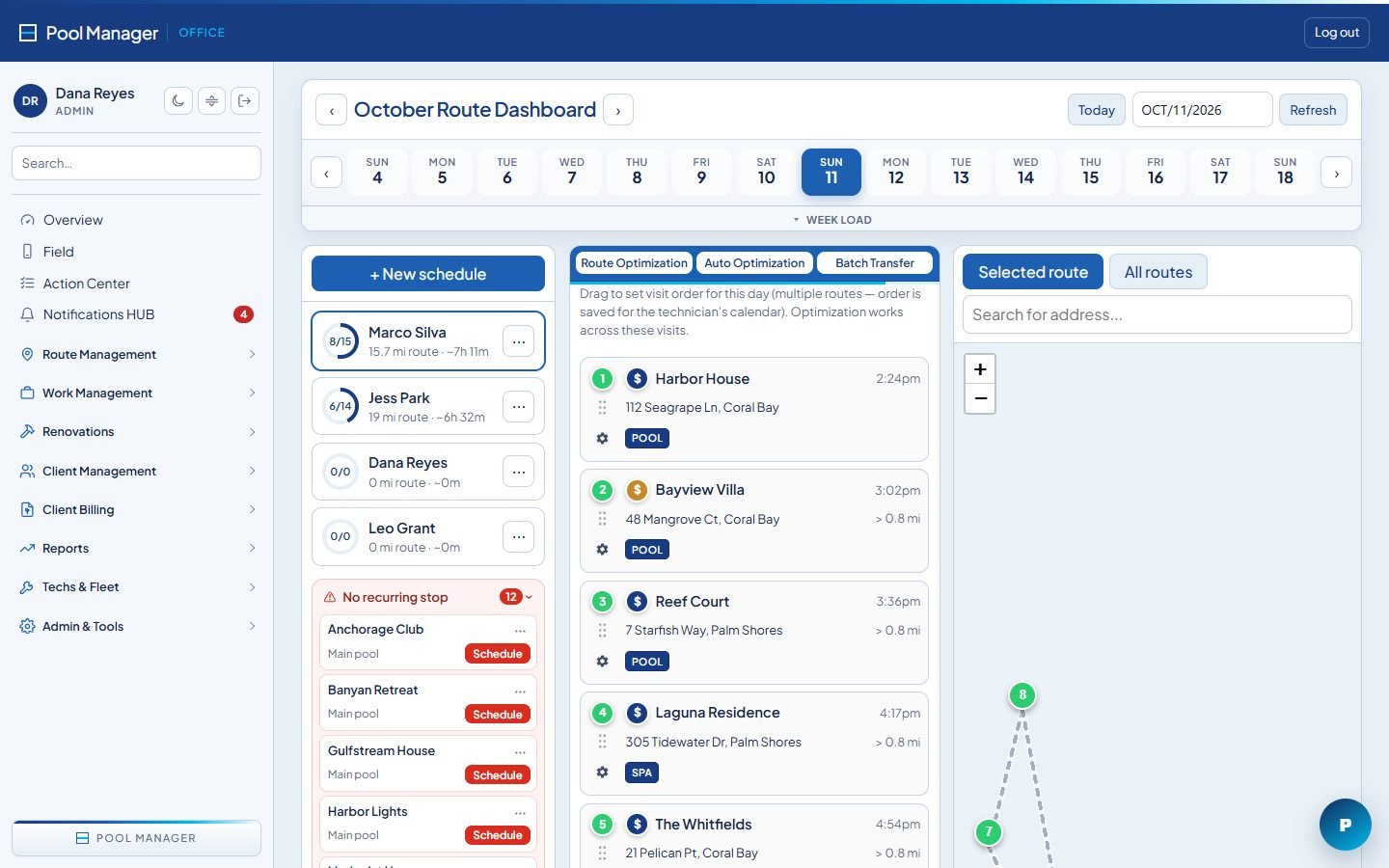
The office sets the day
Build routes once and let them repeat. Move stops between techs, drop a repair onto the route and see each person’s miles and hours before anyone leaves the house.
- Weekly, bi-weekly and monthly stops
- Route optimization with drive times
- Repairs and one-off jobs on the same map
-
9:15 AM Service
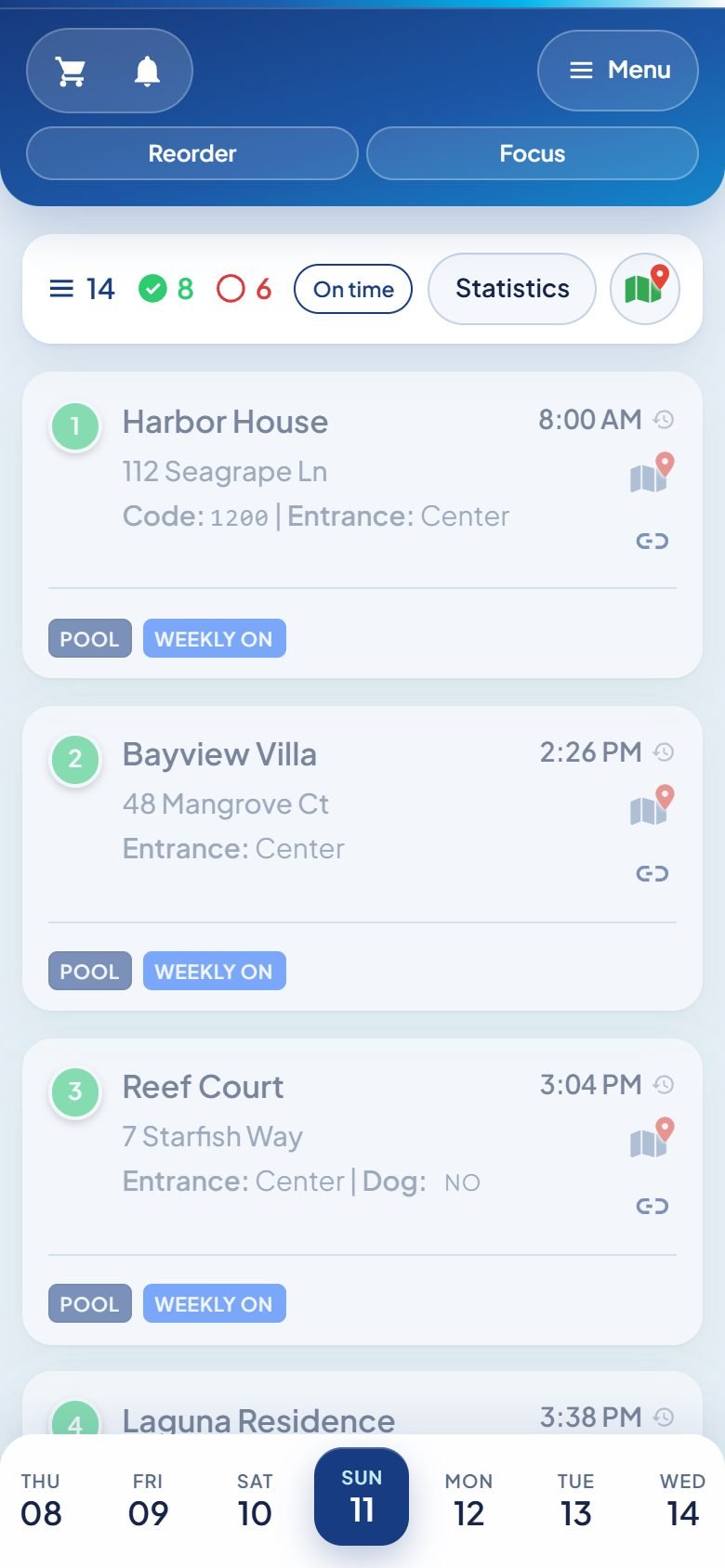
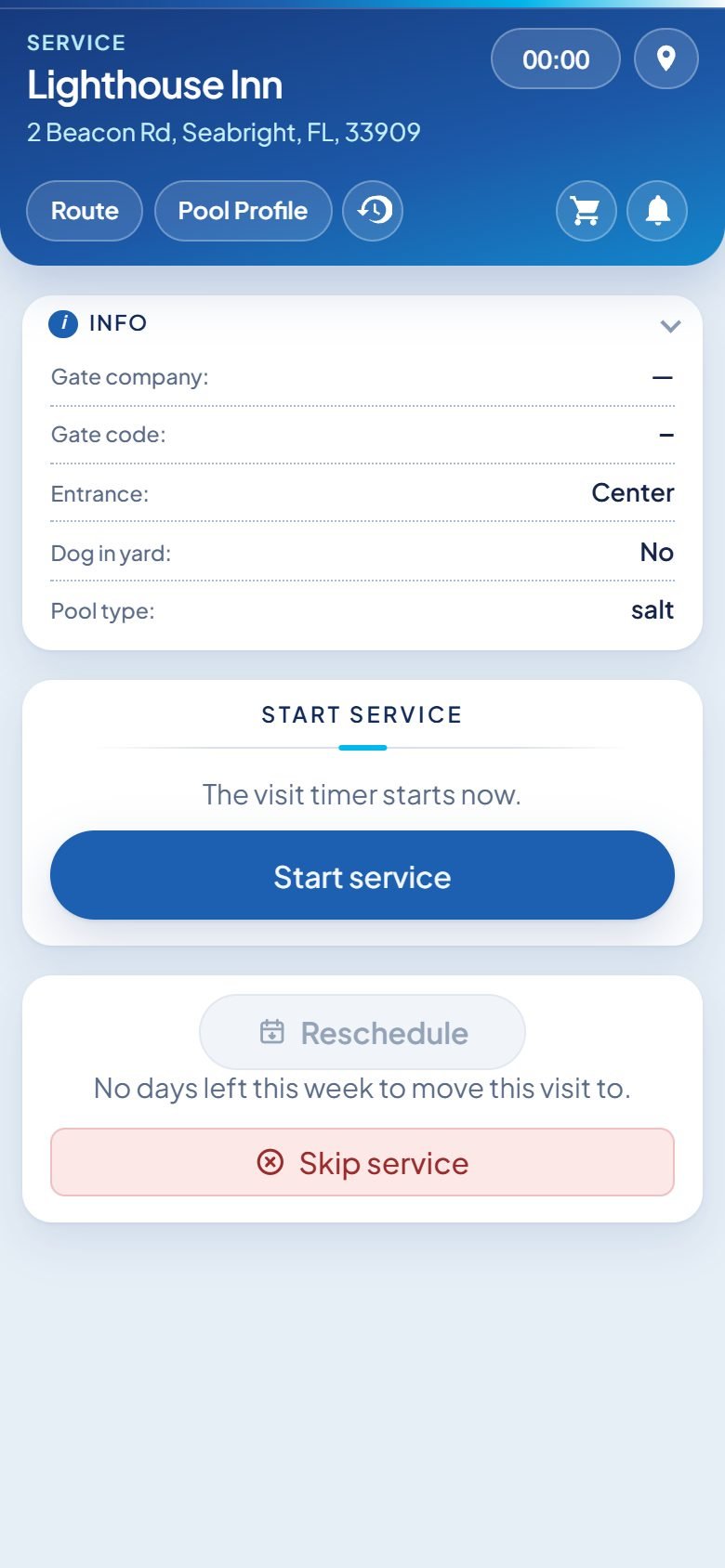
The tech knows what to do at each pool
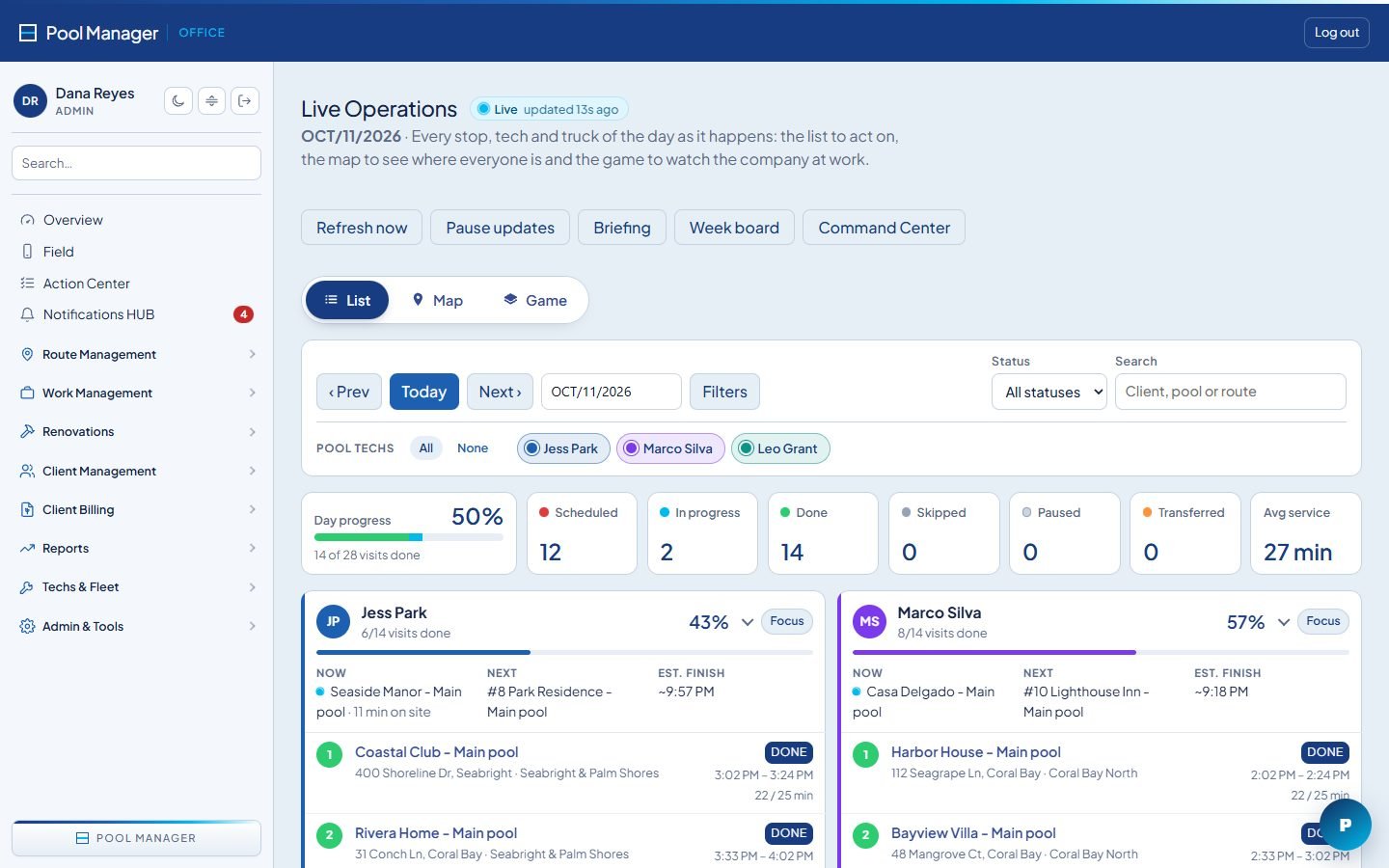
Gate codes, dogs, equipment and last week’s readings are on the phone. Readings, chemicals, photos and checklists are captured at the pool while the office watches the day move live.
- Stops in order, with directions
- Readings, doses and photos per visit
- Live progress for the office
-
9:42 AM Report
The client gets a report before the next stop
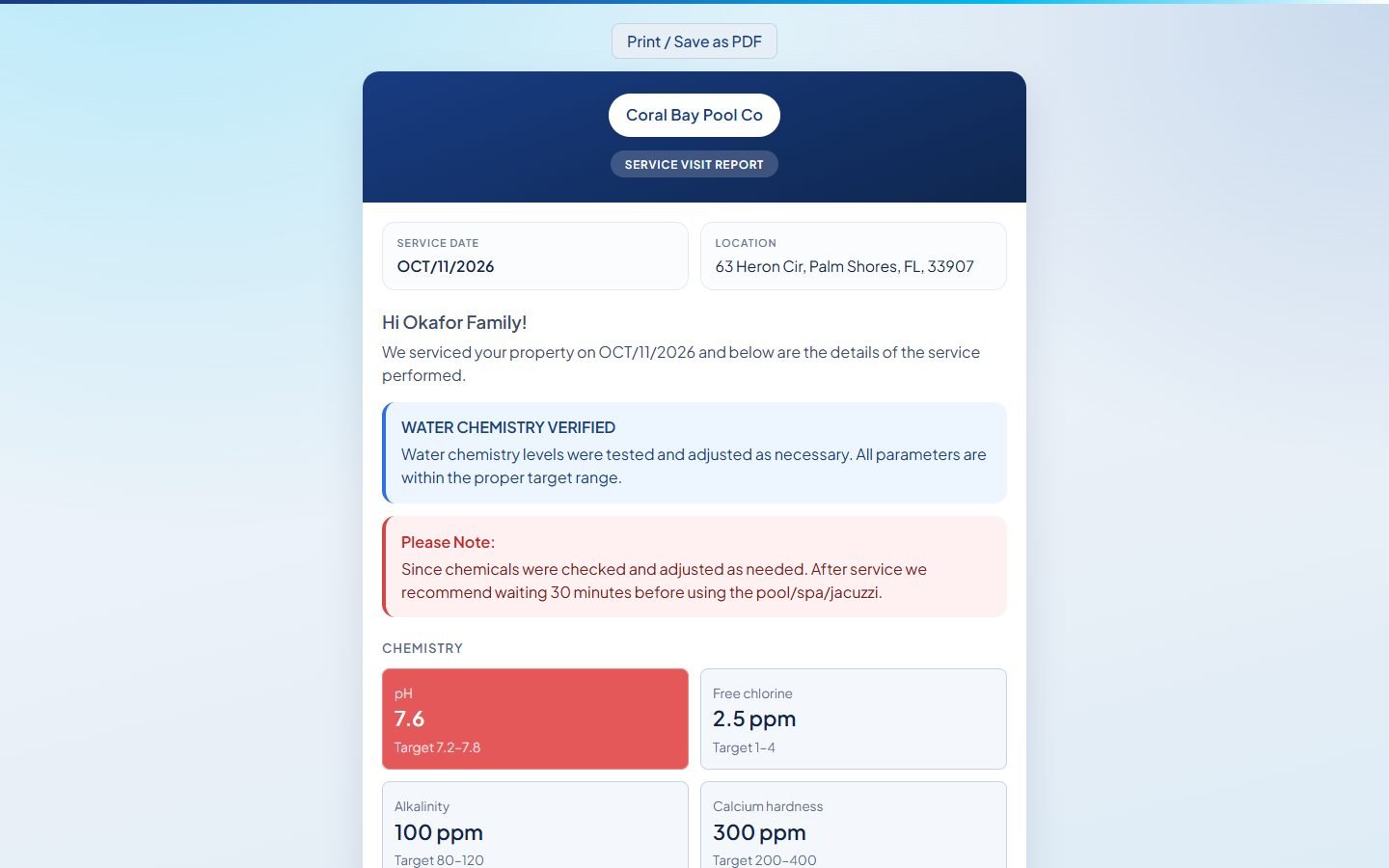
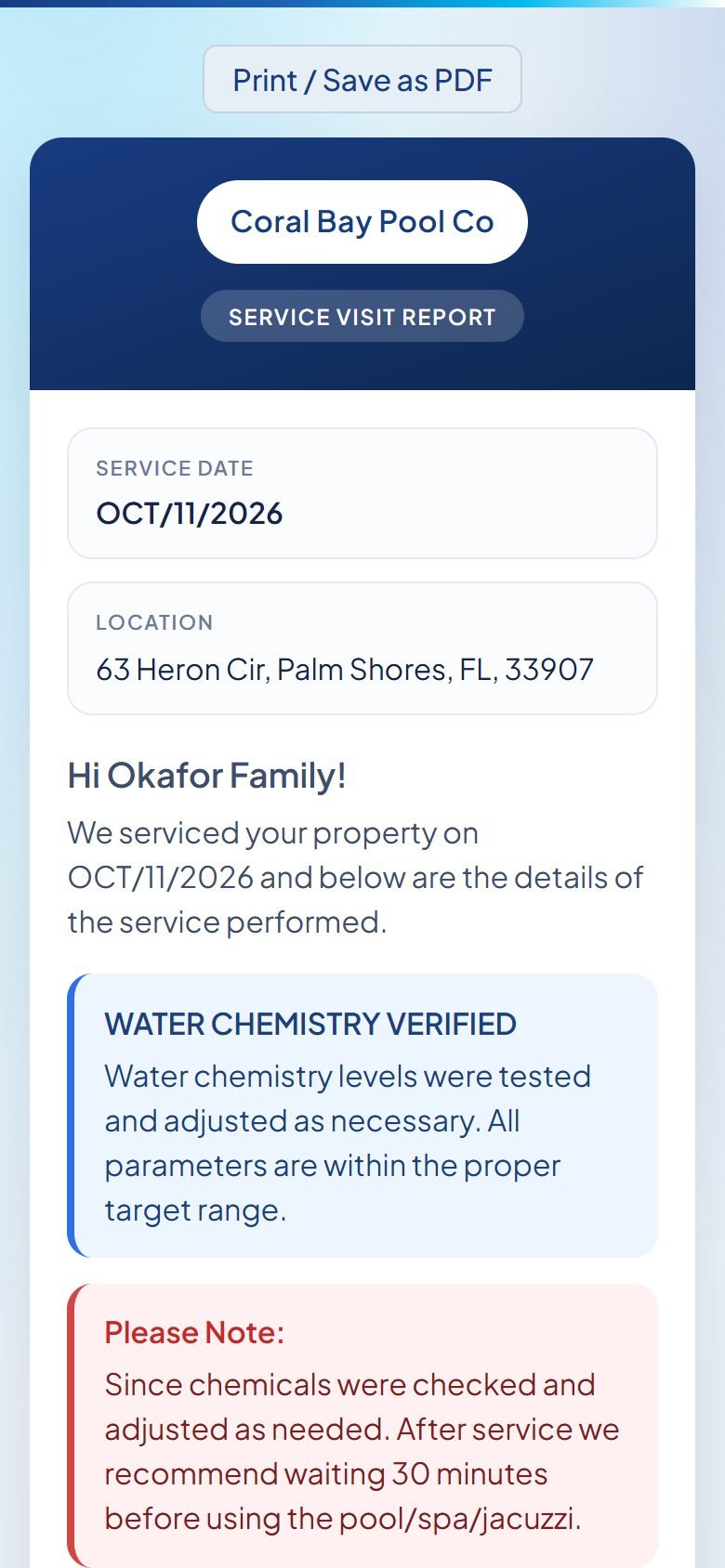
When the visit closes, the client receives a report with your logo, the readings, photos and notes. Every report adds to the pool’s history.
- Sent by email or text automatically
- Readings shown with target ranges
- Full history on every pool
-
Month end Get paid
Invoices go out and get paid online
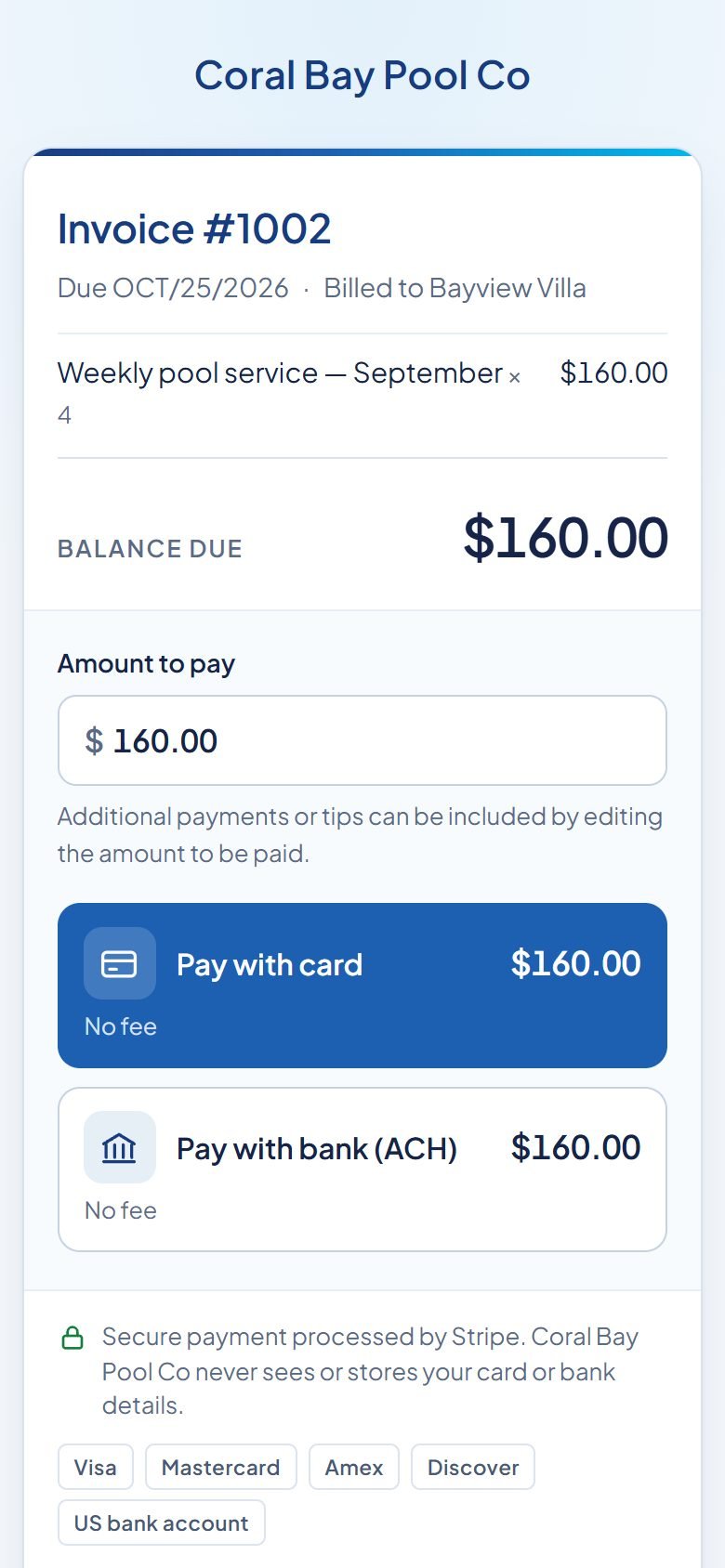
Recurring invoices are created for you. Clients pay by card or bank transfer through your own Stripe account, and the payment lands on the invoice by itself.
- Recurring and one-off invoices
- Card and bank payments on your Stripe
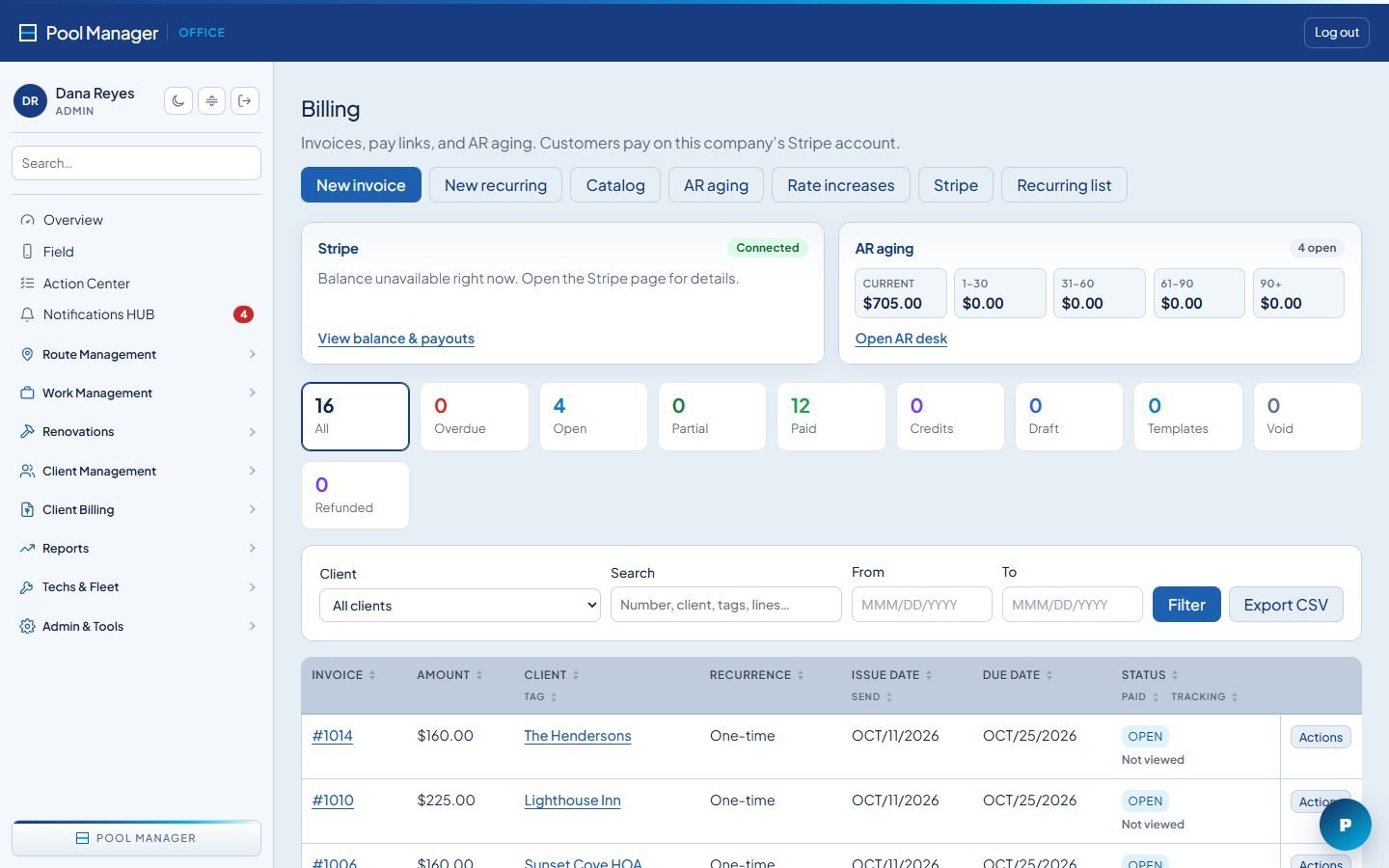
- Reminders and AR aging


Office
Know where every truck, stop and dollar is.
The office runs the company from one screen: routes, repairs, the crew and the money.

-
01 Command Center
Every tech’s day on one board. Drag stops, optimize the order and transfer a route in seconds.
-
02 Live operations
See who is on site, who is behind and which stops were skipped, as it happens.
-
03 Work orders
Repairs, green-to-clean jobs and follow-ups with due dates, parts and photos.
-
04 Billing and AR
Recurring invoices, statements, reminders and aging in one place.
-
05 Filters and warranties
Know when each filter was cleaned and which equipment is still under warranty.
-
06 Reports
Visits, chemicals used, time on site and revenue per route.
Field app
Everything the tech needs at the pool. Nothing they don’t.
A phone app built for one job: get through the route and leave each pool right.
- Today’s stops in order, with directions
- Gate codes, dogs and access notes
- Readings with target ranges and dosing
- Photos and checklists on every visit
- Shopping list and issues for the office
- Skip or reschedule with a reason


Your clients
Clients see the work. And pay for it.
Every visit ends with proof of service, and every invoice has a pay button.
-
Service reports
Readings, photos and notes with your logo, sent when the visit closes.
-
Online payments
Card or bank transfer through your own Stripe account. Autopay for clients who want it.
-
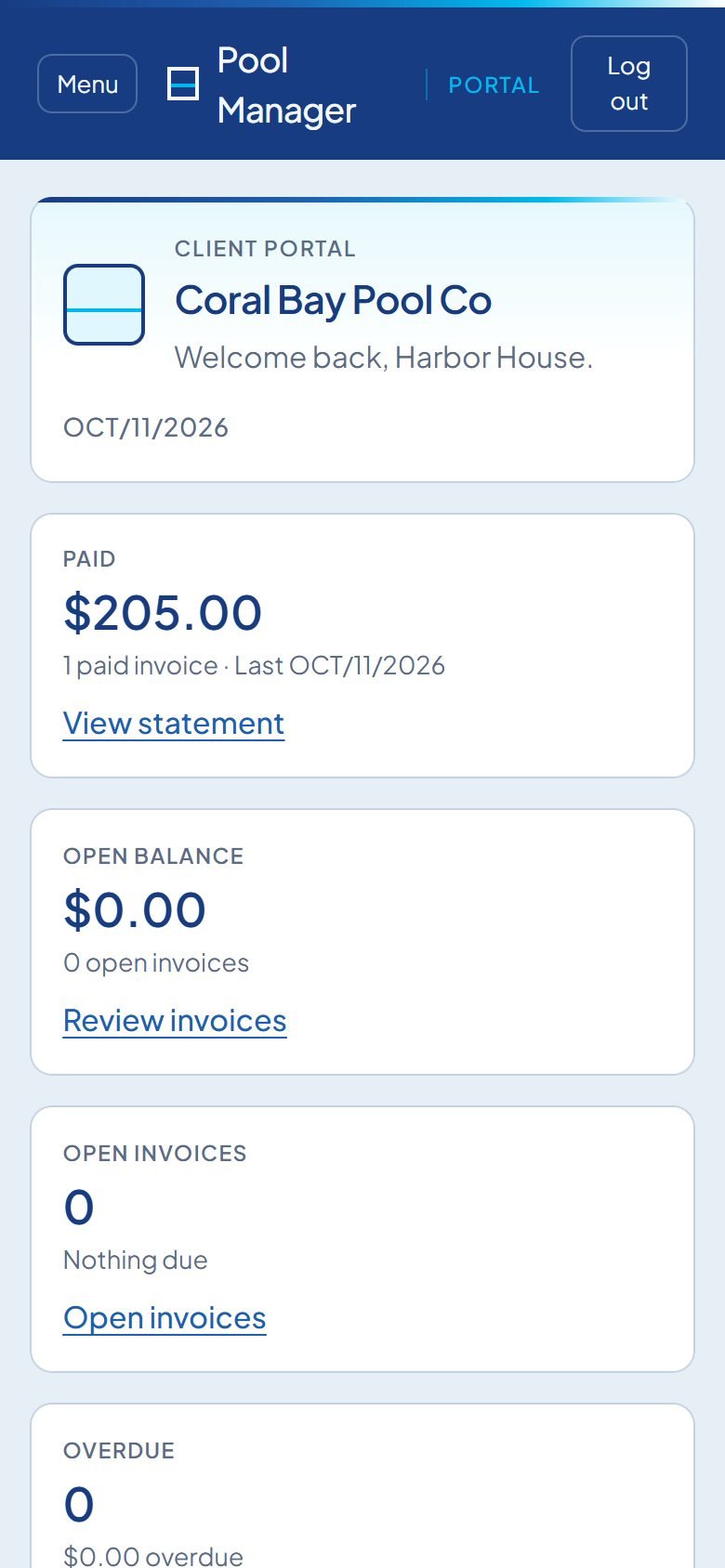
Client portal
Invoices, statements, visit history and requests without calling the office.

Poolly AI
Ask your company a question.
Poolly reads your routes, visits and invoices, and answers with facts from them. It never makes up stops, work or money.
-
Morning briefing
The day summed up for the office: stops, repairs, open issues and money due.
-
Search everything
Find a client, a pool, a visit or an invoice by asking in plain words.
-
Draft messages
Replies and client updates written for you to review and send.
Included in Enterprise and available as an add-on.
From the field
Pool companies that switched.
-
Having the route, service history, chemicals and billing all in one place changed how we operate. We went from running on spreadsheets to having a real operations dashboard.
Mike C.Pool service owner · Coral Springs, FL -
My techs check the daily briefing every morning now. They know exactly which filters to wash, what to pick up and what’s urgent before they leave the house.
Ana L.Operations manager · Boca Raton, FL -
The green pool detection alone is worth it. We caught two algae problems before clients even noticed. That kind of proactive quality control builds trust.
Roberto D.Pool tech lead · Parkland, FL
Pricing
Pay for the pools you service.
Each pool, spa or fountain is one body of water. Prices in USD per month.
-
Basic
Free
Up to 30 bodies of water
- Routes with daily and weekly planning
- Clients, pools, invoices, and estimates
- Field visits, service forms, and issues
- Receive partner Work Share stops
-
Pro
Most chosen$50/mo
Up to 100 bodies of water
- Everything in Basic
- Work orders, filters, and warranties
- Messaging, client portal, and ops reports
- Send Work Share to partners
-
Enterprise
$100/mo
100 bodies of water included, then $0.25 each
- Everything in Pro
- AI, HR, fleet, bookings, and finance reports
- Website, referrals, seasonal offers, and multi-brand
- No cap on bodies of water
Compare every feature
| Feature | Basic | Pro | Enterprise |
|---|---|---|---|
| Bodies of water | Up to 30 | Up to 100 | 100 included |
| Routes & day planning | Included | Included | Included |
| Clients, pools, invoices & estimates | Included | Included | Included |
| Field visits, forms & issues | Included | Included | Included |
| Receive Work Share | Included | Included | Included |
| Work, filters & warranties | Not included | Included | Included |
| Messaging & client portal | Not included | Included | Included |
| Send Work Share | Not included | Included | Included |
| Ops reports | Not included | Included | Included |
| AI, HR, fleet, bookings & finance | Not included | Not included | Included |
| Website, referrals & multi-brand | Not included | Not included | Included |
| Extra bodies of water | - | - | $0.25 each |
Security
Your company’s data stays your company’s.
-
A database for each company
Your clients, pools and invoices live in a database of their own, separate from every other company.
-
Payments through Stripe
Clients pay into your own Stripe account. Card numbers never touch Pool Manager.
-
Passkeys and roles
Sign in with a passkey. Office, manager and tech roles see only what they need.
-
Secrets encrypted
Payment and messaging keys are encrypted at rest, and idle office sessions sign out by themselves.
FAQ
Questions we hear a lot.
Is Basic really free?
Yes. Basic is free for up to 30 bodies of water with no time limit and no card. You only pay if you add an add-on or move to a larger plan.
What counts as a body of water?
Each pool, spa or fountain you service is one body of water. A home with a pool and a spa counts as two.
What happens when I outgrow my plan?
Plans with a limit ask you to move up when you add more bodies of water. Enterprise includes 100 and charges a small amount for each one beyond that.
Can I add features without changing plans?
Yes. Add-ons such as messaging or the client portal can be added to the plans that support them. The calculator shows what each plan allows.
How do I pay for Pool Manager?
Paid plans are billed monthly in USD by card through Stripe. If you prefer to set things up with us first, send us a message.
Can you help me move from another system?
Yes. Tell us what you use today and how many pools you service, and we will plan the move with you.
Is my company’s data kept separate?
Yes. Each company gets its own database, separate from every other company on Pool Manager.
Put tomorrow’s route on Pool Manager.
Free for up to 30 bodies of water. Set up your first route in an afternoon.
Contact
Talk to us.
Questions about plans, moving from another system or a larger setup. We reply by email, usually within one business day.
Or write to info@poolmanager.net.